EN
Sign in

Cookie settings

Shop with your own AI assistant

Ask it to add things, check what’s still to get, or put together a bag for a recipe.

ChatGPT

You add Bagful as a plugin on chatgpt.com, in a browser. It takes about two minutes and the Bagful address:

https://api.bagful.app/mcp

  1. Open chatgpt.com/plugins in a browser (not the app).
  2. Click “Add”, then “Add custom MCP server”.
  3. Name it Bagful, paste the address, choose OAuth.
  4. Tick the warning, then click “Create as a plugin”.
  5. Click “Connect Bagful”, sign in to Bagful and allow it. Then type @Bagful in a chat.
Full guide with screenshots

Step by step

  1. Open the Plugins page

    In a browser, on a computer or your phone, go to chatgpt.com/plugins and sign in to ChatGPT. The ChatGPT phone app can’t add plugins.
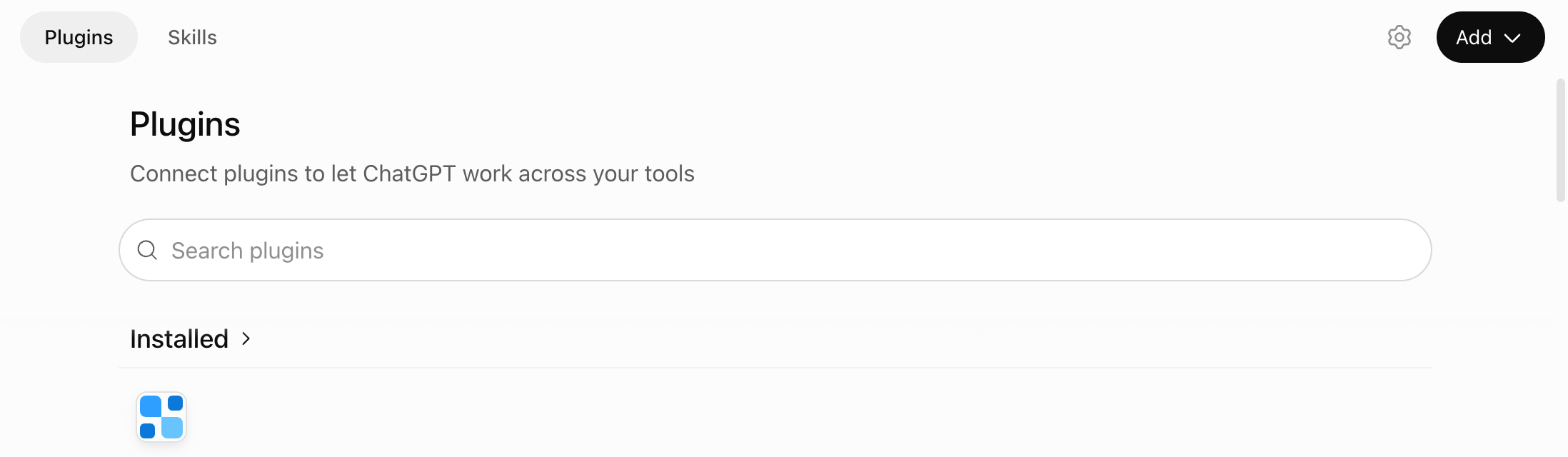
    The top of ChatGPT’s Plugins page.
  2. Click “Add”

    It’s at the top right of the Plugins page.
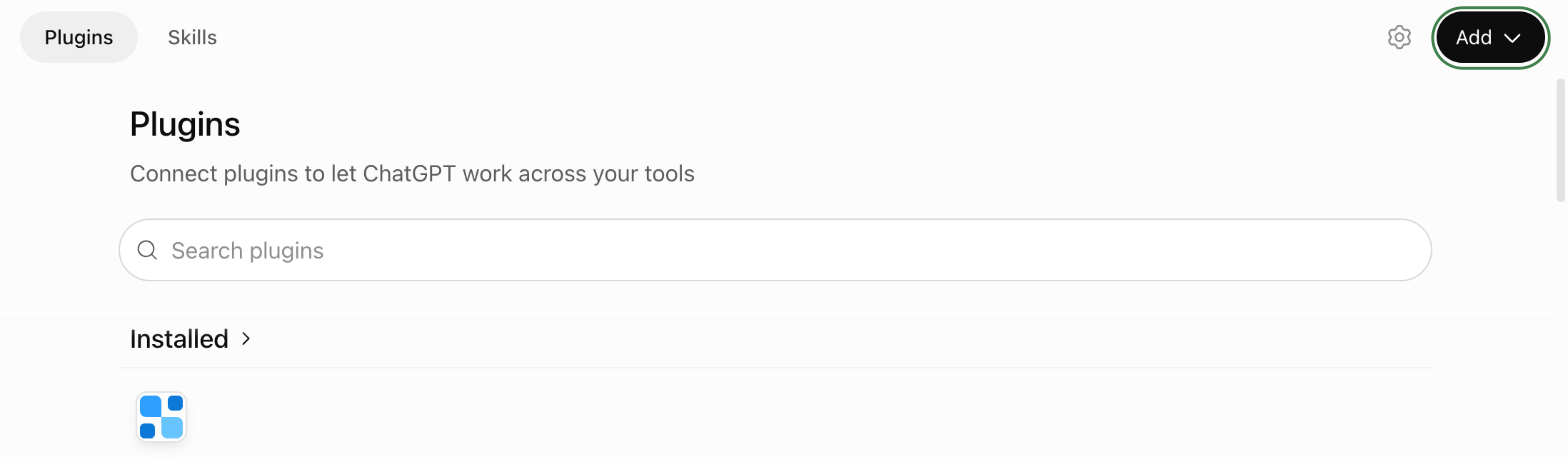
    The top of ChatGPT’s Plugins page, with “Add” ringed.
  3. Choose “Add custom MCP server”

    A form opens.
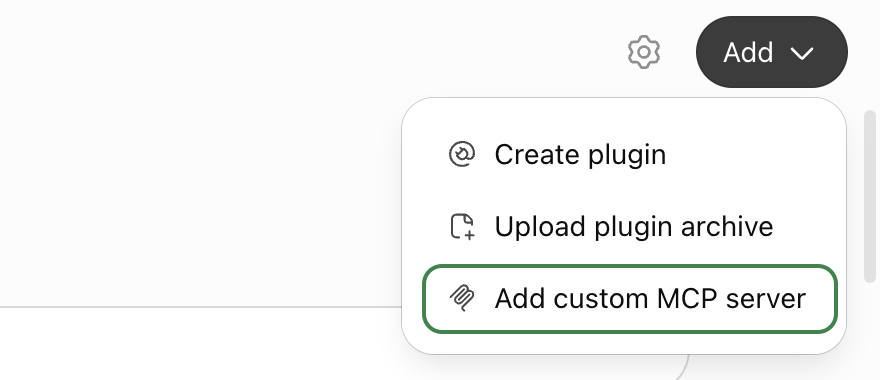
    The “Add” menu, with “Add custom MCP server” ringed.
  4. Fill in the form

    Name: Bagful. Connection: paste the Bagful address from above. Authentication: OAuth, already chosen. The icon and description are optional; without an icon, ChatGPT shows a broken image next to @Bagful.
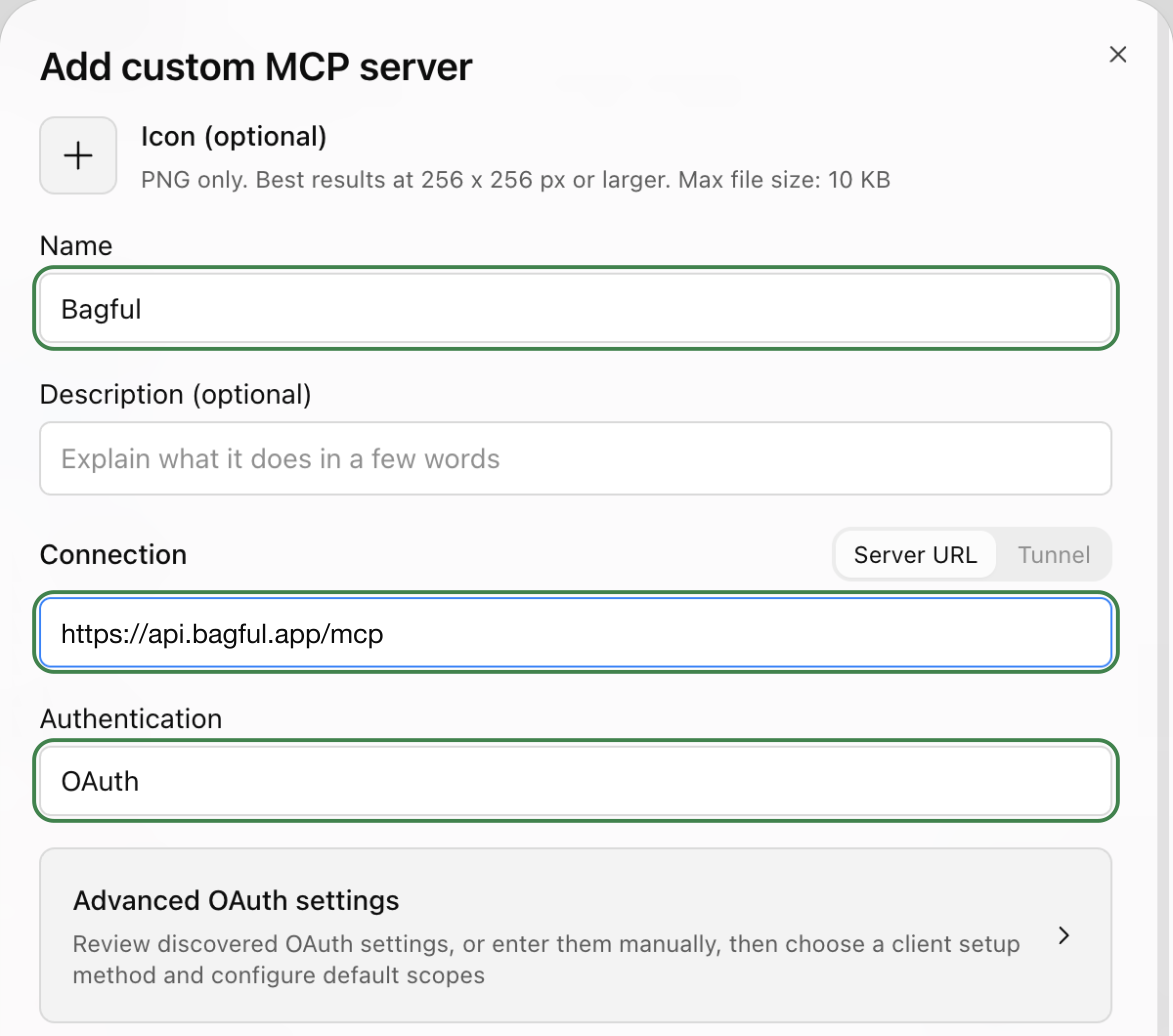
    The “Add custom MCP server” form with Bagful as the name, the Bagful address and OAuth, each ringed.
  5. Tick the warning and create it

    ChatGPT warns about every server it hasn’t reviewed. Tick “I understand and want to continue”, then click “Create as a plugin”.
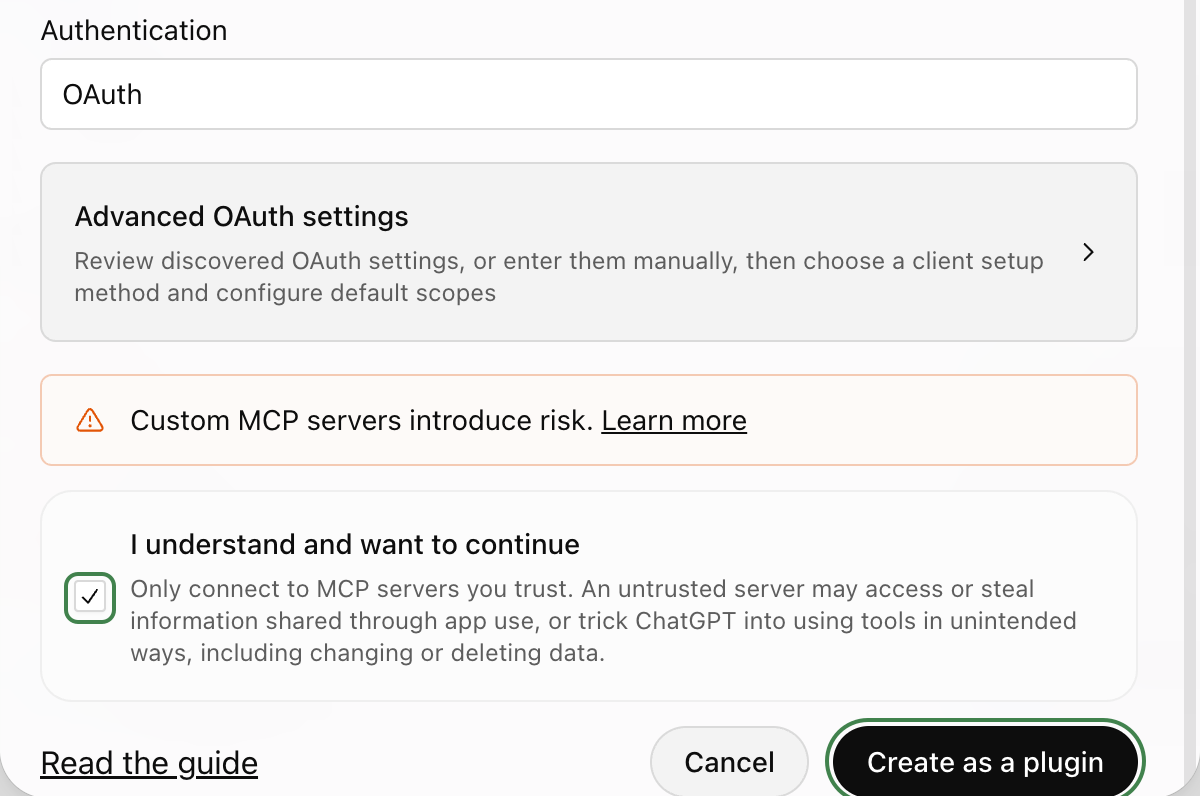
    The warning ticked, with the tick and “Create as a plugin” ringed.
  6. Click “Connect Bagful”

    ChatGPT says what it shares with plugins. “Connect Bagful” takes you to Bagful.
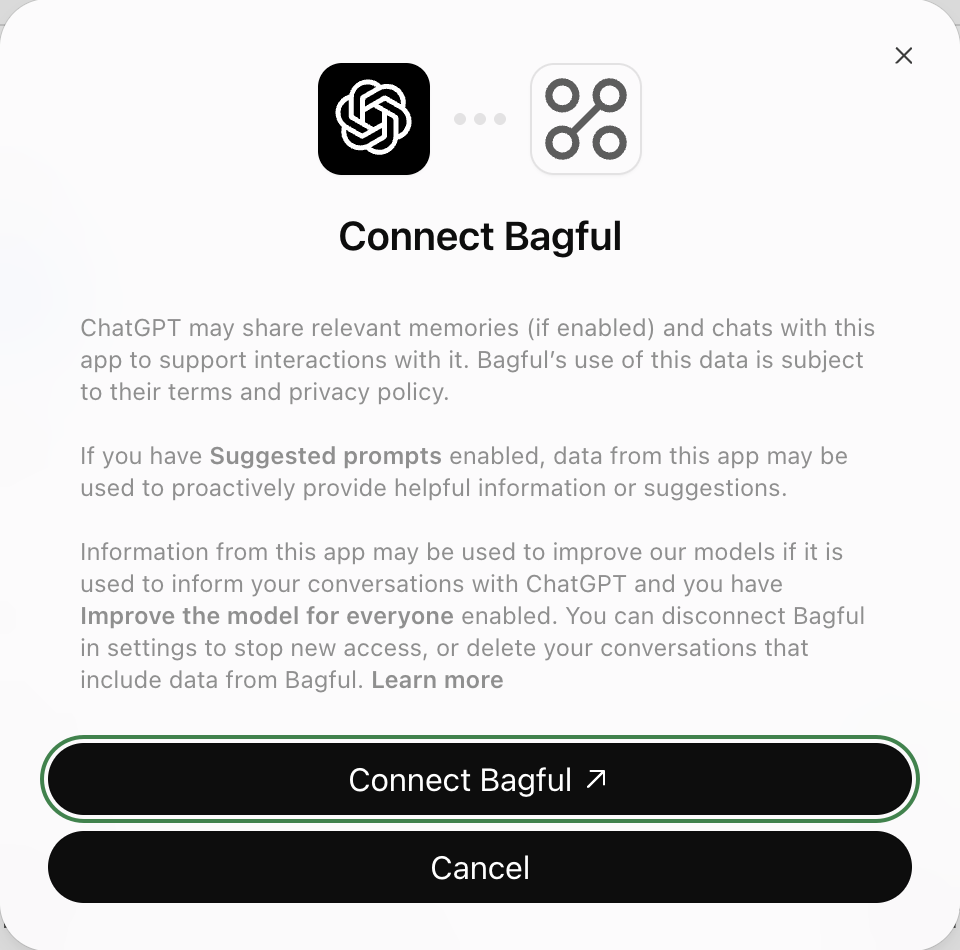
    ChatGPT’s “Connect Bagful” dialog, with “Connect Bagful” ringed.
  7. Sign in to Bagful

    Use the account your bags are in. If you’re already signed in, Bagful skips this.
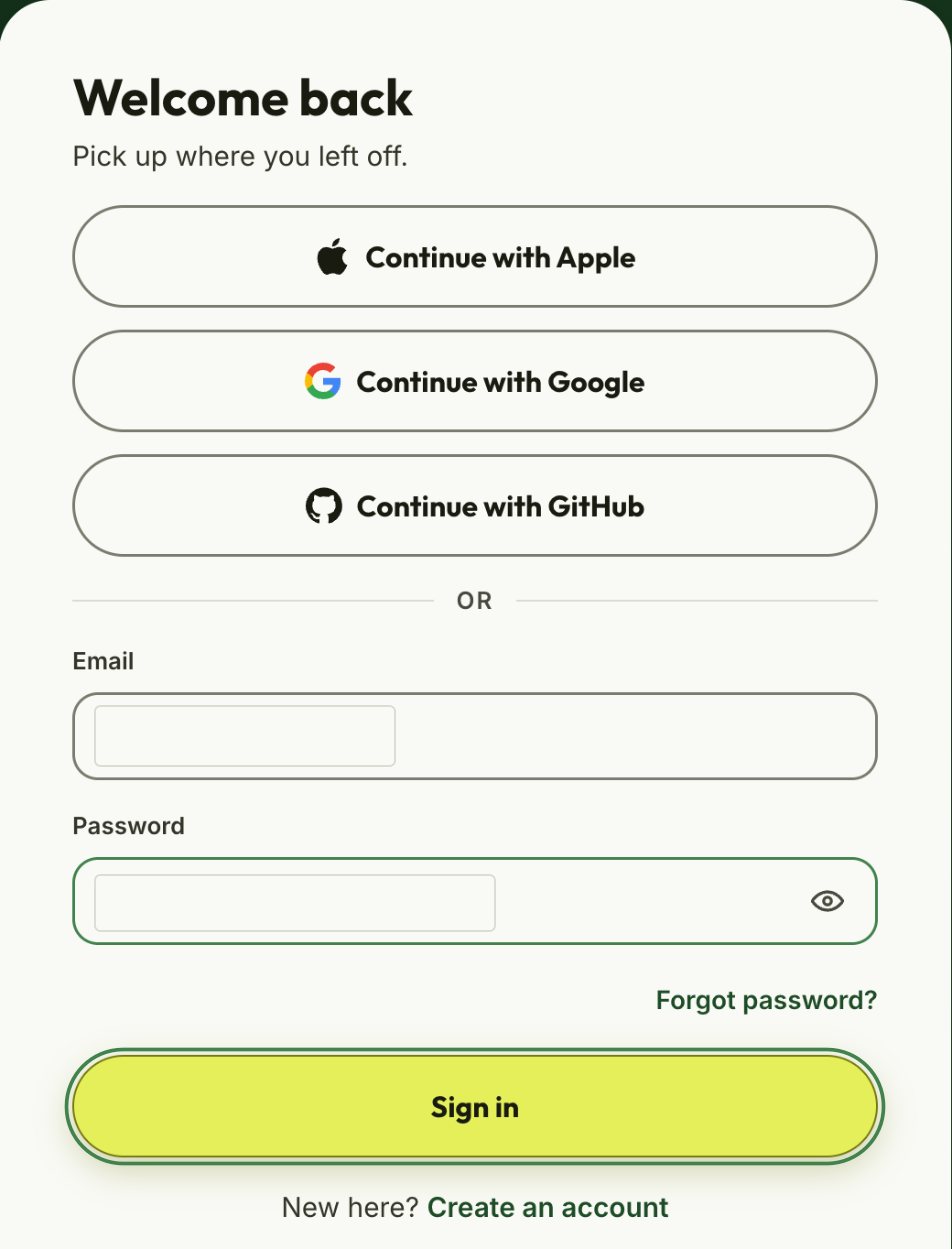
    Bagful’s sign-in, with “Sign in” ringed.
  8. Click “Allow”

    Bagful shows what ChatGPT will be able to do: see and change all your bags as you. You can disconnect it any time.
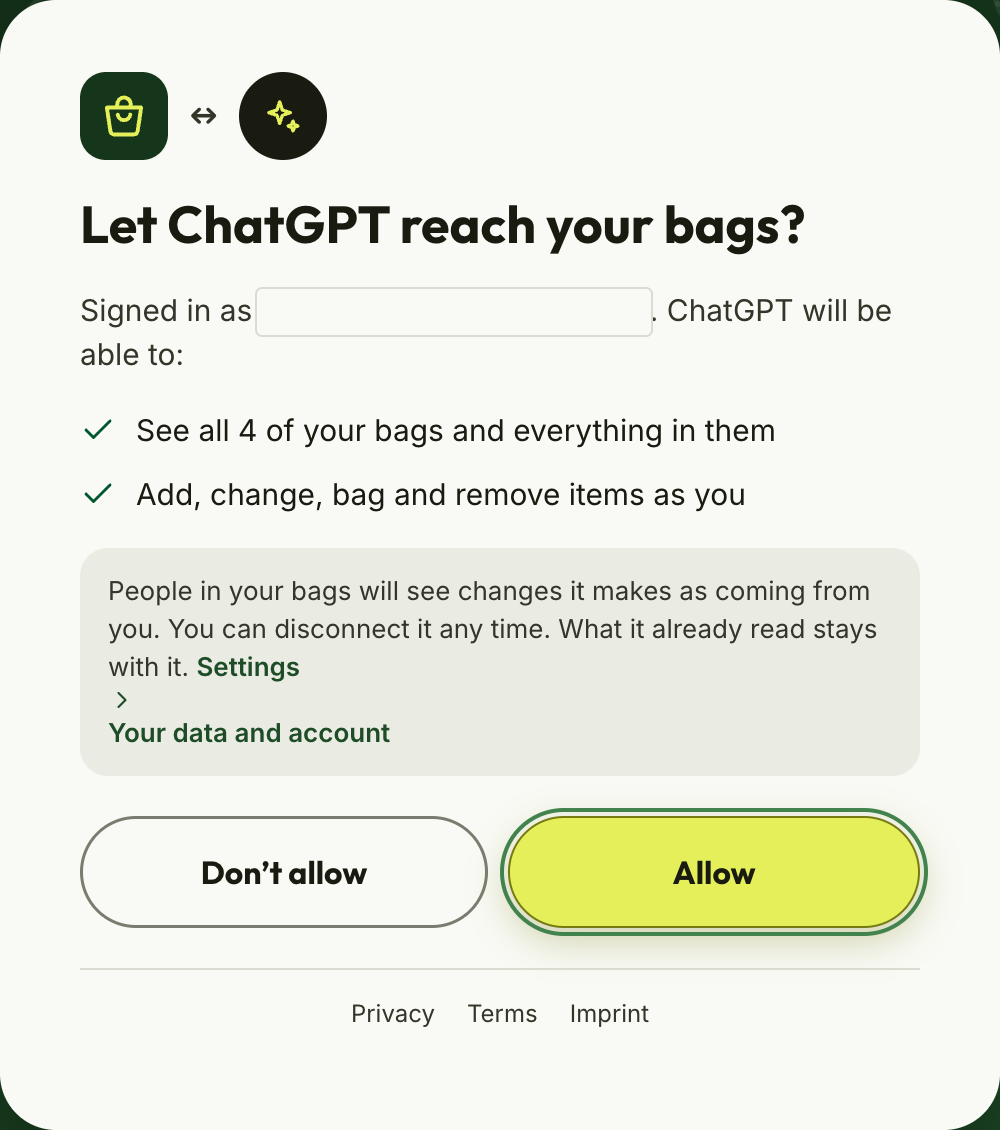
    Bagful asking “Let ChatGPT reach your bags?”, with “Allow” ringed.
  9. Try it with @Bagful

    In a new chat, type @Bagful and ask: “What’s still in my shopping bag?”
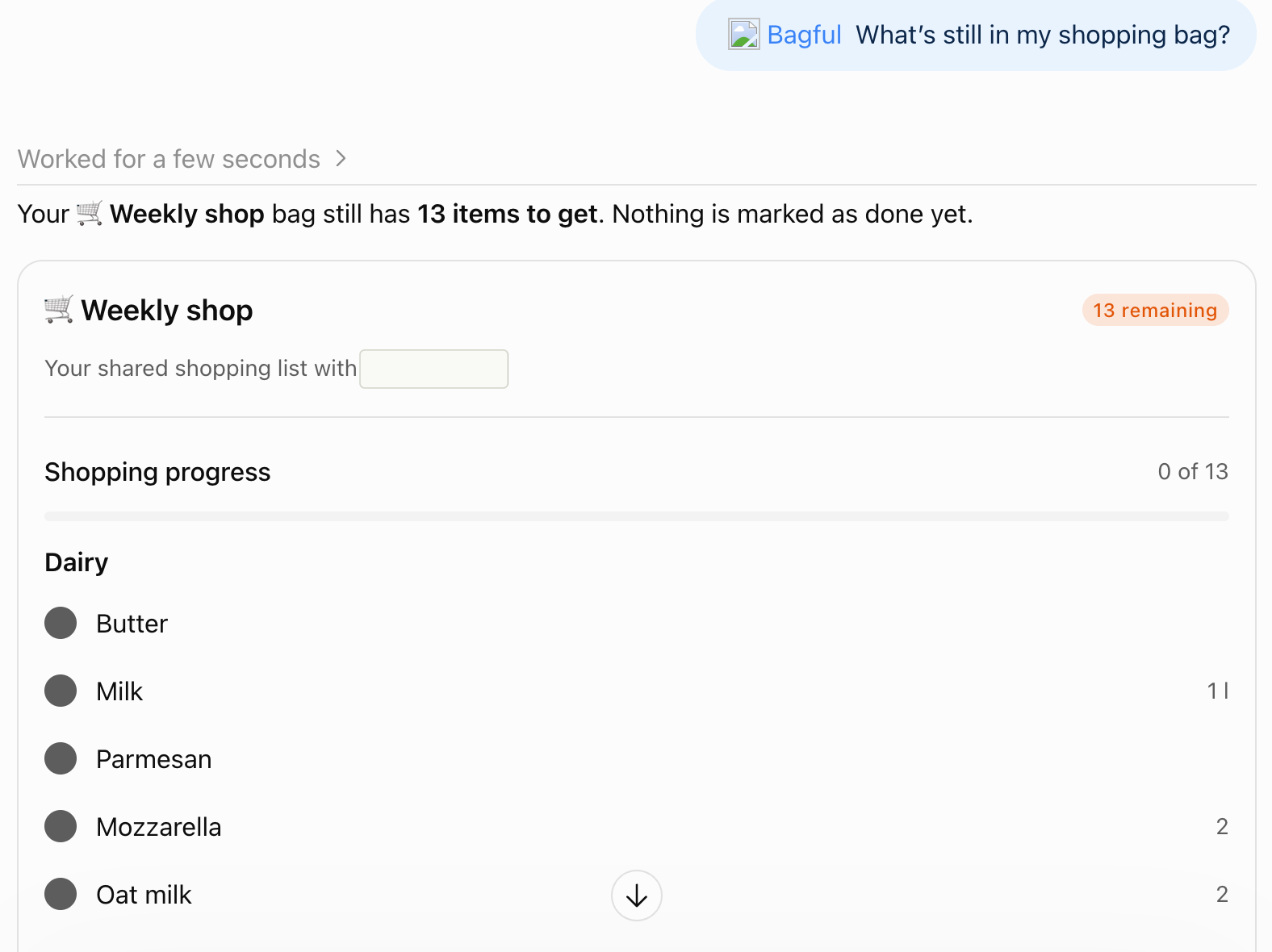
    ChatGPT answering “@Bagful What’s still in my shopping bag?” with the bag and its items.

Not working?

  • The ChatGPT phone app can’t add plugins. Open chatgpt.com in a browser instead, on a computer or your phone.
  • On a ChatGPT Business or Enterprise workspace, an admin or owner adds plugins. Ask them to add Bagful.
  • ChatGPT won’t create the plugin until you tick the warning about servers it hasn’t reviewed.
  • Pressed “Don’t allow” by mistake? Start connecting again from your assistant.
  • See your connected assistants in Settings. They’re under “Your data and account”, where you can also disconnect one.
  • Still stuck? Write to us.

ChatGPT is a trademark of OpenAI. Bagful is not affiliated with OpenAI.